1Weather – Forecast & Radar – Download, Features, and Complete Guide
Introduction:
1Weather – Forecast & Radar is a weather forecasting application designed to help users stay informed about changing weather conditions. It provides local weather updates, hourly forecasts, extended predictions, interactive radar maps, and severe weather alerts in one convenient interface.
The application offers useful information such as current temperature, humidity, wind speed, precipitation chances, air quality, sunrise and sunset times, and upcoming weather conditions. Users can also monitor storms through radar maps and receive notifications about important weather changes.
One of the main advantages of 1Weather is its combination of forecasting tools and customizable home screen widgets. Instead of opening multiple weather websites, users can access different weather details through a single application.
Whether you are planning outdoor activities, travelling, commuting, or simply checking the weather before leaving home, 1Weather provides a collection of tools to make daily planning easier.
What Is 1Weather?
1Weather is a weather forecasting and radar application developed by OneLouder Apps. It is designed to provide weather information for different locations through an easy-to-use mobile interface.
The application offers hyperlocal weather forecasts, hourly and daily predictions, live radar maps, severe weather notifications, and air quality information. Users can add multiple locations and check weather conditions for different cities.
It also includes a weather health center, customizable widgets, and a Sun and Moon tracker. These features provide additional information beyond basic temperature forecasts.
Another useful feature is its future radar technology, which helps users monitor the projected movement of weather systems and precipitation.
1Weather is available as a free download through Google Play. However, the free version contains advertisements, and optional in-app purchases are available for users who want additional features.
Key Features of 1Weather:
1. Accurate Weather Forecasts:
1Weather provides detailed weather forecasts to help users understand current and upcoming weather conditions.
Users can check temperature, humidity, wind conditions, precipitation chances, and other important weather information for their selected locations.
The application offers short-term and extended forecasts, making it easier to prepare for different weather situations.
Forecast accuracy depends on available weather data, location coverage, and changing atmospheric conditions.
2. Hourly Weather Updates:
The hourly forecast feature provides weather information throughout the day.
Users can check expected temperature changes, precipitation chances, and other weather conditions for upcoming hours.
This is particularly useful when planning outdoor activities, travelling, commuting, or deciding the best time to leave home.
Instead of checking the weather repeatedly, users can review the hourly forecast to understand how conditions may change during the day.
3. Daily and Extended Forecasts:
1Weather provides daily and extended weather predictions that help users plan activities in advance.
The application offers daily and weekly forecasting information, along with longer-range predictions where available.
Users can review expected temperatures, weather conditions, and precipitation chances for upcoming days.
Extended forecasts are useful for planning trips, outdoor events, family activities, and other schedules. However, predictions become less certain as the forecast period increases.
4. Live Weather Radar Maps:
The interactive radar feature allows users to monitor weather systems through visual maps.
Users can view precipitation activity and follow the movement of storms across different locations.
Radar information can help identify approaching rain, snow, and other weather conditions.
This feature is especially useful for people who want more detailed weather information instead of relying only on temperature readings.
5. Future Radar:
Future Radar helps users understand the projected movement of precipitation and weather systems.
It provides a visual representation of expected weather developments, making it easier to monitor approaching rain and storms.
Users can check projected radar activity and prepare for possible weather changes.
This feature can be helpful when planning outdoor work, travelling, sports, and other activities that depend on weather conditions.
6. Severe Weather Alerts:
1Weather includes customizable weather alerts that help users stay informed about potentially dangerous weather conditions.
Depending on location and available alert services, notifications can cover severe storms, heavy precipitation, and other important weather warnings.
Users can configure supported alerts for selected locations to receive relevant weather notifications.
These alerts are particularly important for people living in areas where severe weather can affect daily activities.
For emergencies, always follow official local weather authorities and emergency instructions rather than relying on a single mobile application.
7. Air Quality Index (AQI):
The Health Center provides air quality information for supported locations.
Users can check the Air Quality Index to understand pollution levels and monitor environmental conditions.
The application also provides pollen information where available, which can be helpful for people who want to understand seasonal environmental conditions.
Air quality information can assist users in deciding whether outdoor activities are suitable for the current conditions.
8. Weather Widgets:
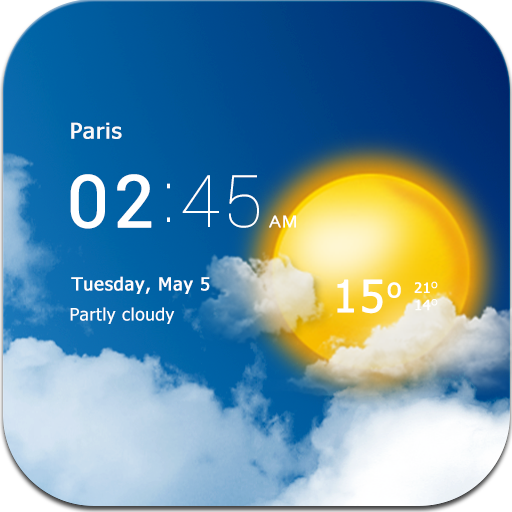
1Weather offers customizable home screen widgets that display important weather information without requiring users to open the application.
Different widget sizes are available, allowing users to select a layout that suits their home screen.
Depending on the selected widget, users can display temperature, time, current weather conditions, and forecast information.
These widgets are convenient for people who regularly check the weather throughout the day.
9. Sun and Moon Tracker:
The Sun and Moon tracker provides information about important astronomical timings.
Users can check sunrise, sunset, moonrise, and moonset information for supported locations.
The feature also displays different moon phases, including New Moon and Full Moon.
This can be useful for photographers, outdoor enthusiasts, travellers, and people interested in observing the night sky.
10. Customizable Weather Alerts:
The application provides alert settings that allow users to personalize weather notifications.
Users can select supported locations and configure alerts according to their preferences.
This helps reduce the need to manually check weather conditions throughout the day.
Timely notifications can be especially helpful when weather conditions change unexpectedly.
11. Weather News and Updates:
1Weather includes weather-related news and informational content.
Users can explore weather stories, short updates, videos, and useful seasonal information within the application.
This provides additional context about weather events and environmental developments.
The feature can be useful for people who want to stay informed about significant weather conditions beyond their immediate location.
12. Customizable Temperature and Measurement Units:
1Weather allows users to personalize measurement units according to their preferences.
Depending on the available settings, users can choose between different temperature and weather measurement formats.
This makes the application convenient for users in different regions who prefer Celsius, Fahrenheit, or other supported units.
13. Dark and Light Themes:
The application offers dark and light appearance options.
Users can select their preferred theme according to their visual preferences and lighting conditions.
Dark mode can provide a more comfortable appearance in low-light environments, while light mode offers a brighter interface.
This customization helps users personalize the overall appearance of the application.
14. Multiple Location Support:
1Weather allows users to check weather information for different locations.
This is helpful for people who travel frequently, have family members in other cities, or want to monitor weather conditions in multiple places.
Users can add their preferred locations and switch between them to view local forecasts and weather information.
15. Multilingual Support:
1Weather provides support for multiple languages, making the application accessible to users from different regions.
Users can select an available language according to their preferences.
This feature makes it easier to understand weather information, notifications, and other application details.
Benefits of Using 1Weather:
- Detailed Weather Information: Access current conditions, hourly forecasts, and extended predictions.
- Live Radar: Monitor precipitation and follow changing weather systems.
- Future Radar: Check projected weather activity and approaching storms.
- Weather Alerts: Receive notifications about supported severe weather warnings.
- Air Quality Monitoring: Check AQI information and available pollen data.
- Useful Widgets: View weather information directly from the home screen.
- Sun and Moon Information: Check sunrise, sunset, moonrise, and moon phases.
- Multiple Locations: Monitor weather conditions in different cities.
- Personalized Settings: Customize measurement units and appearance.
- Weather News: Explore weather-related updates and informational content.
How to Download and Install 1Weather:
Follow these steps to download and install 1Weather on your Android device:
- Open the Google Play Store on your smartphone.
- Search for 1Weather – Forecasts & Radar.
- Check that the developer is listed as OneLouder Apps.
- Open the official application listing.
- Tap the Install button.
- Wait for the application to download and install.
- Open 1Weather from your app menu.
- Allow location access if you want automatic local weather information.
- Select your preferred measurement units and notification settings.
- Add additional cities if you want to monitor weather conditions in multiple locations.
- Explore radar maps, widgets, forecasts, and other available features.
For a safer installation, download the application directly through Google Play rather than using modified or unofficial APK files.
Is 1Weather Free?
Yes, 1Weather is free to download and offers several useful weather features without requiring an upfront payment.
Users can access weather forecasts, radar maps, weather information, and other supported tools through the free version.
However, the application contains advertisements and offers optional in-app purchases. Some additional features and an ad-free experience may require a paid subscription, depending on the available plan.
Users should review the subscription details inside Google Play before purchasing any premium services.
System Requirements and Compatibility:
Android:
- Operating System: Android 8.0 or newer, according to the listed app requirements.
- Device: Compatible Android smartphone or tablet.
- Storage: Sufficient free space for downloading and installing the application.
- Internet: Required for downloading weather data, radar maps, and updated forecasts.
- Location: Location permission can be used for automatic local weather information.
- Notifications: Notification permission may be required for weather alerts.
- Installation Source: Google Play Store.
The application requires an internet connection for updated weather information. Forecast availability and alert coverage can vary depending on the selected location and supported weather data sources.
Pros and Cons of 1Weather:
Pros:
- Provides local and hyperlocal weather forecasts.
- Includes hourly and extended weather predictions.
- Offers interactive radar maps.
- Includes future radar for monitoring projected weather activity.
- Provides customizable severe weather alerts.
- Displays air quality information and available pollen data.
- Includes customizable home screen widgets.
- Offers sunrise, sunset, and moon phase information.
- Supports multiple locations.
- Provides dark and light themes.
- Includes multilingual support.
- Free to download.
Cons:
- The free version contains advertisements.
- Some additional features require in-app purchases.
- Weather accuracy can vary by location and forecast period.
- Some weather alerts may not be available in every region.
- Radar and forecast updates require an internet connection.
- Location permissions may be needed for automatic local forecasts.
Who Should Use 1Weather?
1Weather can be useful for different types of Android users, including:
- Daily Commuters: People who want to check temperature, rain chances, and weather conditions before travelling.
- Travellers: Users who need weather forecasts for different cities and destinations.
- Outdoor Enthusiasts: People who enjoy hiking, camping, trekking, and outdoor activities.
- Students: Students who want to plan their daily schedules according to weather conditions.
- Photographers: Users who need sunrise, sunset, and moon phase information for photography planning.
- Weather Enthusiasts: People interested in radar maps, storm tracking, and detailed forecasts.
- Families: Users who want weather alerts and information to help plan outdoor activities.
- Everyday Smartphone Users: Anyone who wants convenient access to local weather information and forecasts.
Conclusion:
1Weather – Forecast & Radar is a feature-rich weather application that provides useful information for monitoring current and upcoming weather conditions. Its combination of hourly forecasts, extended predictions, interactive radar maps, future radar, and severe weather alerts makes it a convenient option for everyday weather monitoring.
Additional features such as air quality information, customizable widgets, multiple location support, and the Sun and Moon tracker provide more value for users who want detailed weather information in one place.
Although advertisements and optional purchases are part of the experience, the free version still offers several useful weather tools. Its simple interface and customizable settings also make it accessible to different types of users.
Overall, 1Weather is worth considering if you want an Android weather application that combines forecasts, radar tracking, environmental information, and useful home screen widgets.
Official Website, Download, and Guides:
- Official Website: https://1weatherapp.com/
- Google Play Download: https://play.google.com/store/apps/details?id=com.handmark.expressweather
- Official Brand and Features Page: https://www.1weatherapp.com/brand/
- Privacy Policy: https://1weatherapp.com/privacy/
- Support Email: support@1weatherapp.com